
Cloro.dev Review 2026: Is It the Best AI SEO Scraper?

AI search is no longer a future trend — it is changing how people find information right now. ChatGPT, Perplexity, Google AI Overviews, and Gemini are already influencing which brands get mentioned and which get ignored. SEO teams that cannot monitor this are flying blind.
The obvious solution seems simple: call the LLM APIs directly. But that turns out to be the wrong approach. What the API returns is not what a real user sees — and for SEO purposes, that difference matters enormously.
Cloro.dev is a scraping API built specifically to solve this. As an AI-focused web scraper, it operates actual browser sessions against each platform's live UI — the same view a person sees when they type a query — and returns the full response with all citations, sources, and formatting intact. This Cloro.dev review covers everything you need to know: how it works, what it costs, where it fits, and who should use it.
Quick Verdict
Rating: 4.4 / 5
Pros:
- Scrapes the real UI — gets exactly what users see, not watered-down API output
- Supports 9 platforms from one unified endpoint (ChatGPT, Perplexity, Gemini, Google, and more)
- Returns full citations and source URLs — critical for AI SEO tracking
- 99.99% uptime with automatic retries (up to 10 per request)
- No credit charge on failed extractions
- Free trial with 500 credits — no credit card needed
- Async/batch mode built in for high-volume workloads
Cons:
- Credits do not roll over at end of billing period
- Sync requests cost +2 extra credits per call (vs. async)
- Response times average 30–45 seconds — not suitable for real-time applications
- Plans start at $100/month — no budget tier below that
- Some models (e.g. Gemini) have regional restrictions outside the US
What Is Cloro.dev?
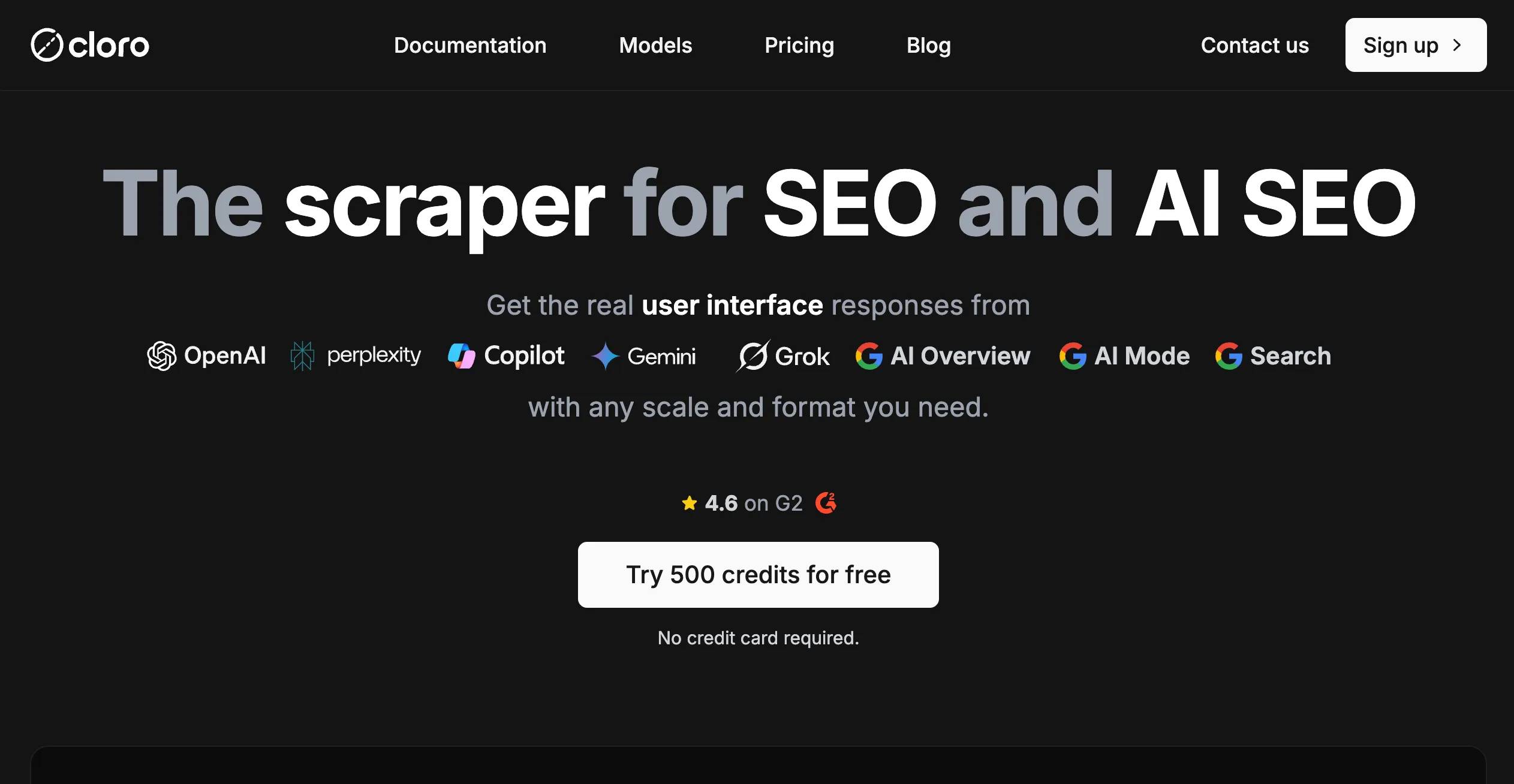
Cloro.dev is a scraping API focused exclusively on AI platforms and search engines. Instead of hitting raw LLM APIs, it operates actual browser sessions against the live UI of each platform — ChatGPT, Perplexity, Microsoft Copilot, Google Gemini, Google AI Mode, Google AI Overview, Google Search, Google News, and Grok.
The result is exactly what a human user would see: the full AI-generated response, all cited sources with URLs and labels, search queries that the AI expanded from your original prompt (query fan-out), shopping blocks, and structured JSON — all returned in a single API response.
It runs at 99.99% uptime, processes 500M+ API calls per month, and holds a 4.6 rating on G2. The free trial gives you 500 credits with no credit card required.
The UI vs. API Problem — Why It Matters for SEO
This is the core reason Cloro exists, and it is worth understanding clearly before looking at pricing.
When you call, say, the OpenAI API directly, you get a language model responding to your prompt in a generic context. But when a user searches ChatGPT with web search enabled, a very different thing happens: ChatGPT queries live web sources, selects citations, renders a response with inline references, and shows source cards that influence which brands users click. That process does not happen through the API.
Surfer SEO documented this with data — LLM API responses differ significantly from what the live ChatGPT UI returns for the same query. The discrepancy is not minor. If you are monitoring whether your brand appears in AI responses, pulling from the raw API will give you incorrect data.
Two other problems compound this:
No citations from direct API calls. The raw API does not return the source URLs that the AI used to construct its answer. But those citations are exactly what SEO teams need — they show which websites the AI is trusting and recommending. Cloro returns all of them.
A different API per platform. ChatGPT, Perplexity, Gemini, and Grok each have separate API schemas, authentication methods, and response formats. Cloro normalizes all of them into one consistent endpoint structure. You write your integration once.
For teams doing SERP scraping and AI search monitoring, this matters more than almost anything else in the toolchain.
Supported Platforms
All platforms listed below are live and operational. Coverage spans every major AI search surface that is currently influencing SEO.
| Platform | Notes |
|---|---|
| ChatGPT (query fan-out) | Web search with multi-query expansion — 7 credits/request |
| ChatGPT (web search) | Standard web search mode — 5 credits/request |
| Perplexity | AI search with citations — 3 credits/request |
| Microsoft Copilot | Bing-powered AI responses — 5 credits/request |
| Google Gemini | Gemini AI responses (EU regional restrictions apply) — 4 credits/request |
| Google AI Overview | AI-generated summary in SERP, includes surrounding SERP data — 5 credits/request |
| Google AI Mode | Full Google AI Mode experience — 4 credits/request |
| Google Search | Standard organic results — 3 credits/request (+2/additional page) |
| Google News | News-specific results — 3 credits/request (+2/additional page) |
| Grok | X/Twitter's AI model — 4 credits/request |
Geographic coverage is global. Country targeting is supported for all platforms; Gemini has regional availability limits in parts of the EU.
How the API Works
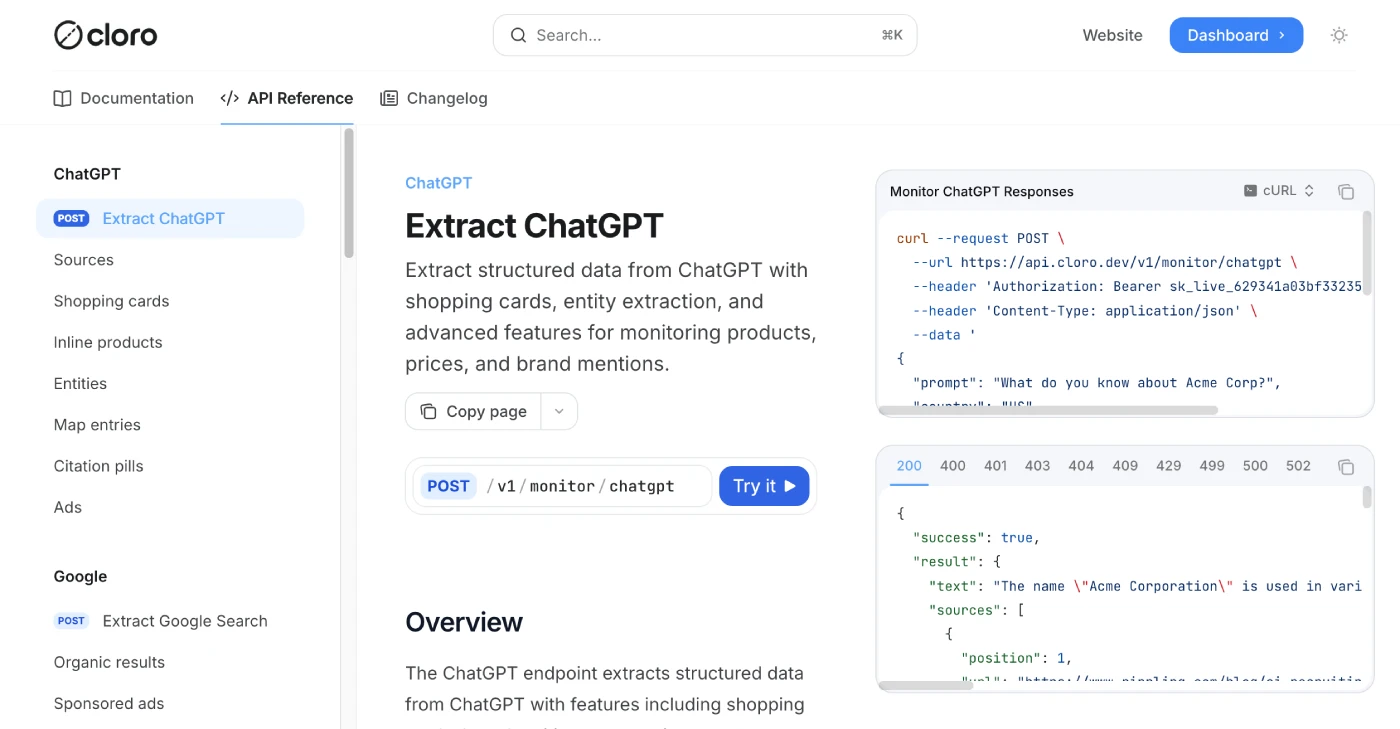
The API follows a straightforward pattern. Every request goes to a platform-specific endpoint and returns a structured JSON response. Here is a real example using ChatGPT.
Request:
curl -X POST https://api.cloro.dev/v1/monitor/chatgpt \
  -H "Authorization: Bearer sk_live_your_api_key_here" \
  -H "Content-Type: application/json" \
  -d '{
    "prompt": "What do you know about Tesla'\''s latest updates?",
    "country": "US",
    "include": {
      "markdown": true
    }
  }'
Response structure:
{
  "success": true,
  "result": {
    "text": "Tesla's recent updates include...",
    "sources": [
      {
        "position": 1,
        "url": "https://example.com/article",
        "label": "Tesla Blog",
        "description": "Official update on FSD improvements"
      }
    ],
    "html": "<div>...</div>",
    "markdown": "**Tesla's recent updates** include...",
    "searchQueries": ["Tesla updates 2024", "Full Self Driving improvements"],
    "shoppingCards": []
  }
}
The endpoint pattern is consistent across all platforms: POST https://api.cloro.dev/v1/monitor/{platform} — just swap chatgpt for perplexity, gemini, copilot, grok, etc.
SDKs are available for Python and JavaScript, so you are not stuck writing raw HTTP calls.
Response time averages 30–45 seconds per request. Cloro handles retries automatically — up to 10 retries per job, with a 5-minute maximum timeout. This is normal for UI-level scraping; the platform is doing real browser work on each request.
Async and batch mode is available for high-volume use. Submit jobs, receive results via webhook. For bulk monitoring work — running the same queries across hundreds of keywords — this is the right approach. Running synchronous requests for high-volume work will hit your concurrency limit and return 429 errors; batch mode sidesteps that entirely.
Important: Sync requests add a +2 credit surcharge per call. Async/batch is both cheaper and more reliable for production workloads.
Cloro Pricing
Cloro sells credits, and credits are consumed per request. The cost varies by plan (larger plans = cheaper cost per 1,000 credits) and by platform (some AI models cost more to scrape than others).
Plan Overview
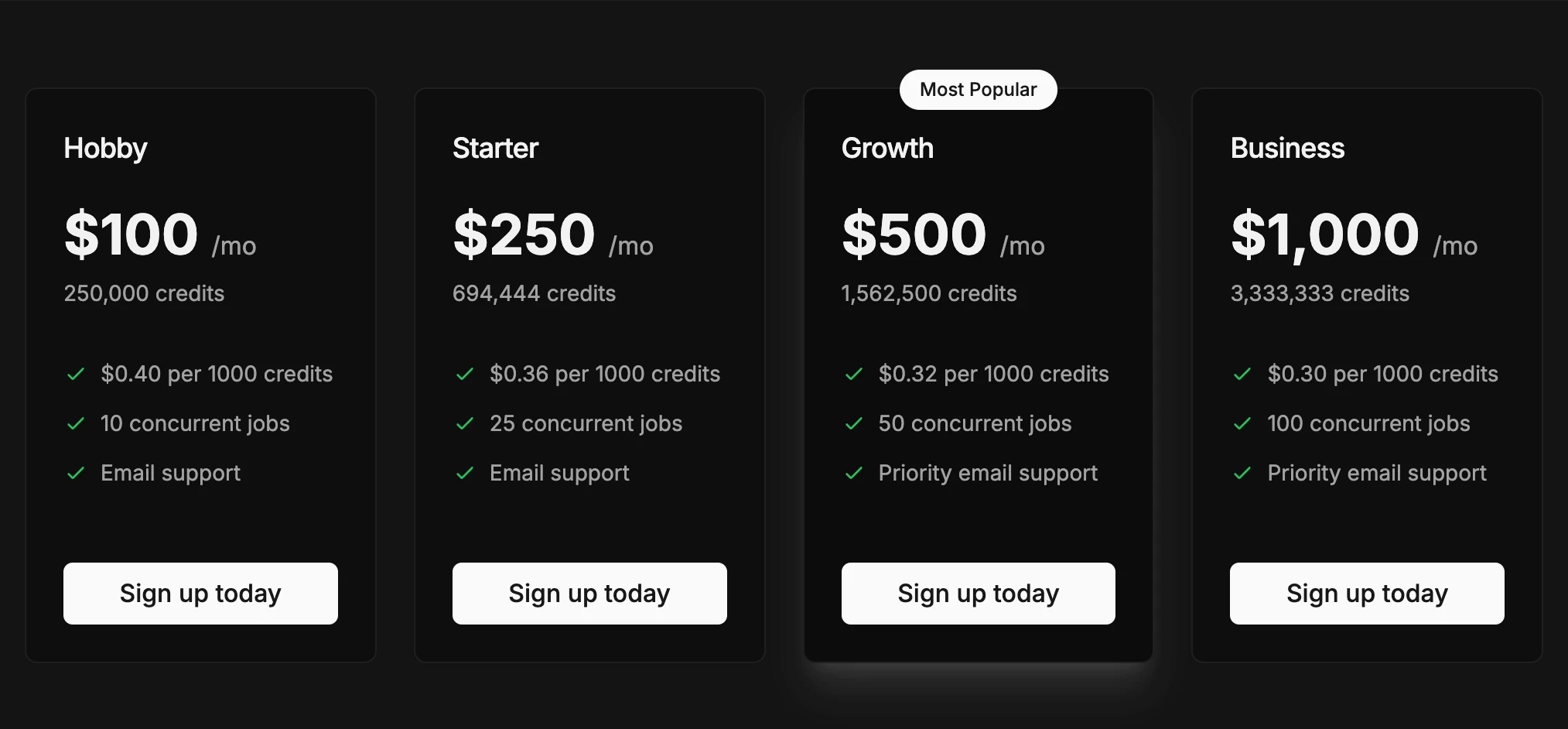
| Plan | Price/mo | Credits Included | Cost per 1K Credits | Concurrent Jobs | Support |
|---|---|---|---|---|---|
| Hobby | $100 | 250,000 | $0.40 | 10 | |
| Starter | $250 | 694,444 | $0.36 | 25 | |
| Growth | $500 | 1,562,500 | $0.32 | 50 | Priority Email |
| Business | $1,000 | 3,333,333 | $0.30 | 100 | Priority Email |
| Enterprise | $1,500+ | Large volumes | Volume discounts | Custom | Slack |
Growth is marked as the most popular plan. Enterprise pricing requires a conversation with the team and unlocks larger concurrent job pools, volume discounts, and dedicated Slack support.
Payment for self-service plans uses credit cards. Enterprise supports ACH and wire transfer. There are no refunds, and credits do not roll over at the end of the billing period.
Credit Cost per Request
These are async/batch rates. Add 2 credits per request for synchronous mode.
| Platform | Credits per Request |
|---|---|
| ChatGPT (query fan-out) | 7 credits |
| ChatGPT (web search) | 5 credits |
| Perplexity | 3 credits |
| Google Search | 3 credits (+2 per additional page) |
| Google News | 3 credits (+2 per additional page) |
| Google AI Overview + SERP | 5 credits |
| Google AI Mode | 4 credits |
| Google Gemini | 4 credits |
| Microsoft Copilot | 5 credits |
| Grok | 4 credits |
Estimating Your Costs
The math is straightforward once you know your query volume. A few examples:
If you monitor ChatGPT (query fan-out) for 1,000 queries/day:
- 1,000 queries × 7 credits = 7,000 credits/day
- 30 days = 210,000 credits/month
- The Hobby plan (250,000 credits for $100) covers this comfortably
If you run 10,000 Perplexity queries per day:
- 10,000 × 3 credits = 30,000 credits/day
- 30 days = 900,000 credits/month
- You need the Growth plan (1,562,500 credits for $500)
If you mix platforms — say 500 ChatGPT fan-out + 2,000 Perplexity + 1,000 AI Overview daily:
- (500 × 7) + (2,000 × 3) + (1,000 × 5) = 3,500 + 6,000 + 5,000 = 14,500 credits/day
- 30 days = 435,000 credits/month
- The Starter plan (694,444 credits for $250) handles this
The key variable is which platforms you monitor. Perplexity is cheapest at 3 credits. ChatGPT query fan-out is most expensive at 7. Most real SEO monitoring workflows mix platforms, so run your own numbers against the credit table above before choosing a plan.
Who Is Cloro For?
Best for:
- AI SEO and GEO teams tracking brand mentions across ChatGPT, Perplexity, and Google AI surfaces — this is the primary use case Cloro is built for
- SEO agencies building branded monitoring dashboards for clients who want visibility into AI search
- Content teams doing competitive research — seeing which sources AI platforms cite for a given query tells you what content gets referenced
- Developers building AI search monitoring tools who need a single API to cover all major platforms instead of maintaining separate integrations
- Enterprise marketing teams monitoring brand presence in AI-generated responses at scale
Not ideal for:
- General web scraping — Cloro is built specifically for AI platforms and search engines, not arbitrary website scraping. For that, look at Firecrawl or Apify
- Real-time applications — 30–45 second response times rule out any use case that needs sub-second data
- Small budgets — the cheapest plan is $100/month. If you are running a handful of manual queries, the free trial covers early exploration but there is no cheap ongoing tier
- One-off lookups — Cloro's credit model and concurrency limits are designed for ongoing monitoring workloads, not sporadic queries
If your work touches web scraping APIs broadly, Cloro sits in a specific niche: AI platform scraping for SEO intelligence. It is not trying to compete with general-purpose scrapers.
FAQs
How quickly will I receive data from Cloro?
Response times average 30–45 seconds per request. This is because Cloro operates real browser sessions against each platform's live UI — it is doing actual user-level interaction, not a simple HTTP call. The API handles retries automatically (up to 10 retries per job) with a maximum 5-minute timeout per request. For high-volume work, async mode is strongly recommended over synchronous calls.
Which AI models and platforms does Cloro support?
Cloro currently supports nine platforms: ChatGPT (both web search and query fan-out modes), Perplexity, Microsoft Copilot, Google Gemini, Google AI Overview (including surrounding SERP data), Google AI Mode, Google Search, Google News, and Grok. All are listed as live and operational. Platform coverage may expand over time.
Do Cloro credits roll over at the end of the month?
No. Credits expire at the end of each billing period. If you have unused credits when the cycle resets, they are forfeited. Plan your usage accordingly — it is better to start one tier lower and upgrade if you consistently hit the ceiling than to pre-buy credits you will not use.
What happens if a request fails?
Failed extractions do not consume credits. Cloro only charges credits when a successful extraction is returned. The system also retries failed requests automatically up to 10 times before marking a job as failed, so transient issues are handled without you doing anything.
Can I extract data from specific countries?
Yes — geographic targeting is supported globally. You can specify a country in your request and Cloro will scrape that platform from the appropriate regional context. Note that Gemini has regional availability restrictions in parts of the EU, which may affect results for EU-targeted queries.
Is there a free trial?
Yes. Cloro offers 500 credits on sign-up with no credit card required. At 3 credits per Perplexity query, that is roughly 166 test queries. It is enough to verify the API works for your use case, test the response format, and evaluate output quality before committing to a paid plan.
Is Cloro.dev Worth It for AI SEO Teams?
Cloro occupies a genuinely useful niche. The UI vs. API problem it solves is real — pulling raw LLM API responses for SEO monitoring gives you data that does not reflect what users actually see. If brand visibility in AI search is part of your strategy, you need UI-level data with citations, and Cloro is purpose-built for that.
The pricing is not cheap. At $100/month for the entry plan, it is a serious tool for teams with real monitoring budgets — not a casual experiment. But the math works out reasonably well: 250,000 credits at Hobby tier covers substantial query volume depending on which platforms you target.
The async mode, automatic retries, unified endpoint structure, and credit-only-on-success billing all point to a product that has been thought through for production SEO workloads.
Who should use it:
- AI SEO teams tracking brand mentions across ChatGPT, Perplexity, and Google AI surfaces — start with the Hobby plan to validate your workflow
- Agencies building multi-client monitoring dashboards — the Growth plan at $500/month gives enough headroom for multi-client scale
- Developers building AI search intelligence tools who want one integration instead of nine — any plan works; pick based on volume
If general web scraping is what you need rather than AI platform scraping, look at Firecrawl or Apify instead. For broader SERP data needs, our guide to SERP scraping API providers covers the full landscape.
For AI SEO work specifically, the Cloro scraper earns its 4.4 out of 5.